


 Written by Gerda Volkovs
Before buying a travel eSIM, you need to make sure your smartphone supports it. Not all phones — especially older or carrier-locked ones — are eSIM-compatible.
The good news? Checking takes less than a minute. Whether you’re planning a business trip or a vacation, confirming compatibility ensures you can use your eSIM Latvia plan without any setup issues.
You don’t need to visit a store or call your operator — it’s already in your phone’s settings.
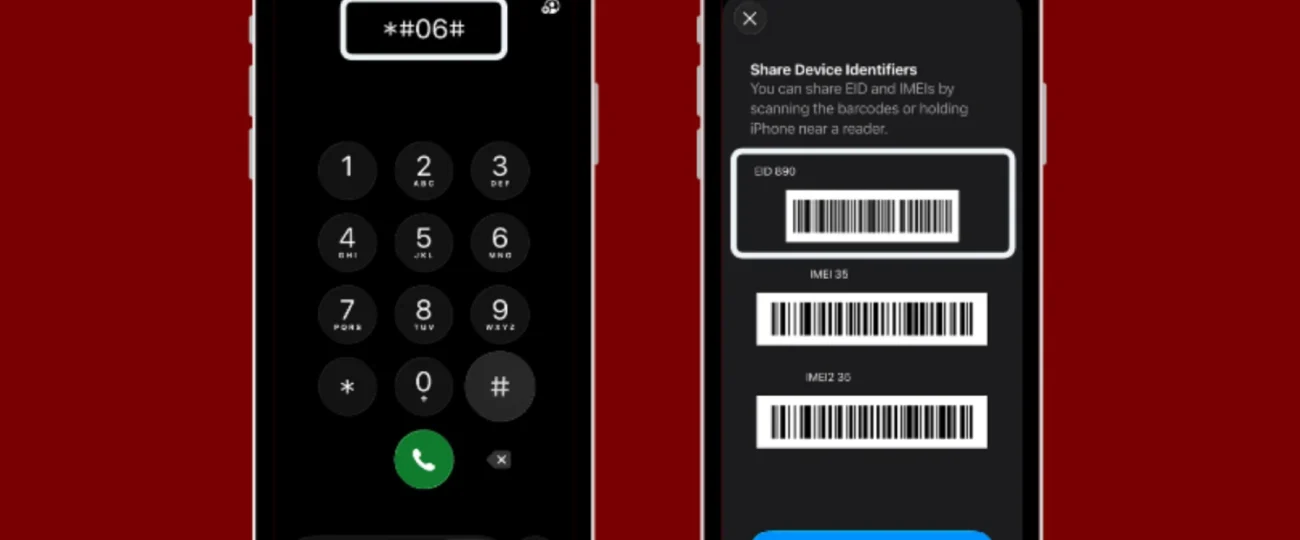
For iPhone users:
For Android users:
If you see these options, your device is ready for eSIM activation.
Here’s a quick summary of devices that support eSIM as of 2025:
Apple:
Samsung:
Google:
Other brands:
Check Apple’s official eSIM support list or your phone manufacturer’s website for updates.
Even if your phone supports eSIM, it must be unlocked to use esim.lv’s international data plans.
To check:
Unlocked devices allow you to install any eSIM — including prepaid global plans from esim.lv.
Some phones show eSIM compatibility but still face restrictions due to software versions or carriers.
You can test compatibility using a free test eSIM (if available from your provider) or by purchasing a low-cost plan like eSIM Turkey or eSIM United Kingdom.
If installation and data activation work — you’re eSIM-ready.
Manufacturers regularly add new eSIM features through system updates. Before traveling:
If your phone supports Dual SIM + eSIM, you can keep your Latvian number active for calls while using eSIM Latvia for data abroad.
Read our detailed guide:
👉 Dual SIM & eSIM Setup Guide: Two Numbers, One Phone
If your current device doesn’t support eSIM, you still have options:
Verifying your phone’s eSIM compatibility takes minutes — and saves hours of stress on the road. Once your device is ready, you can enjoy instant, prepaid, global data with esim.lv.
Discover compatible eSIM plans at esim.lv — no SIM card, no paperwork, and instant setup for your next trip.

At eSIM.lv, we believe staying connected while traveling should be simple, fast, and affordable.
© 2025 all right reserved to esim.lv